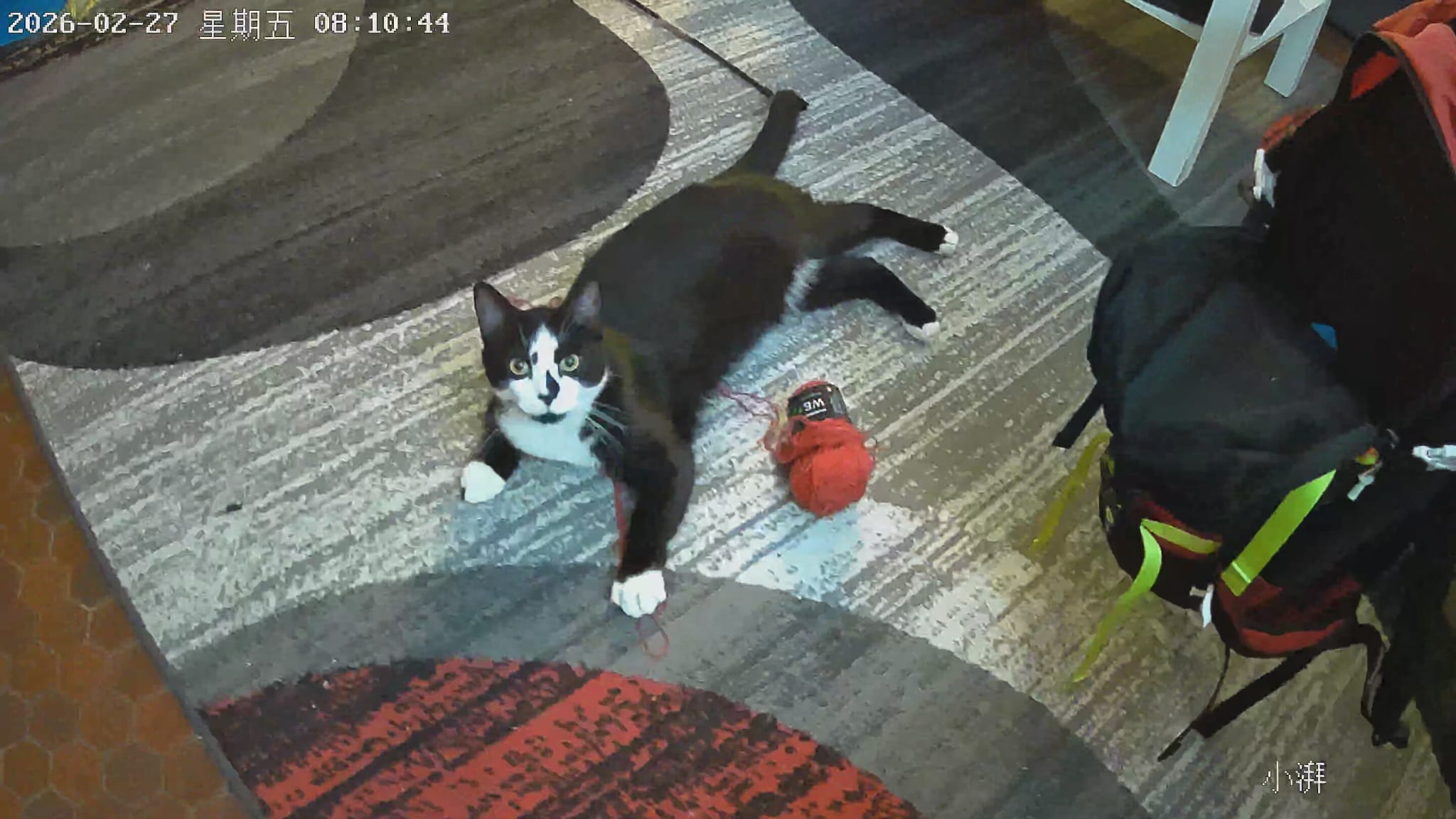
Got a new cat called MiMi, and like any responsible cat parent I immediately bought a cheap WiFi camera so I could watch him destroy things while I’m not home. Eighteen euros. Generic white box. QR code on the bottom. You know the type.
Setup took about three minutes. Then I got curious.
First Problem: The Camera Only Speaks 2.4GHz
When the app asked me to connect the camera to WiFi, it couldn’t see my network.Turns out cheap IoT cameras almost universally refuse to connect to 5GHz — the 2.4GHz WiFi chips are cheaper and have better range through walls, so manufacturers always go that route.
I had to log into my router and give my 2.4GHz band a separate name so the camera could find it.
While I was already in the router config, I noticed something in the traffic: the camera had already phoned home before I’d even finished setting it up. DNS queries, TCP connections, IPs I didn’t recognise. It was talking fast and to everything.
That was the thread I decided to pull.
Getting in the Middle (ARP Spoofing)
To see what the camera was sending, I needed to intercept its traffic. The idea was to see if I could also forward the packets (if uncrypted) to my VPS and start another project with claude and python computer vision (CV) to send me a notif on telegram if the cat was in frame doing something interesting.
The technique for intercepting traffic is called ARP spoofing — and no, you don’t need to know what ARP stands for.
Here’s the idea: normally, your camera talks directly to your router. ARP spoofing tricks both of them into thinking your laptop is the other one. So traffic that was going camera → router now goes camera → your laptop → router. You become the middleman. Very Mr. Robot.
BEFORE:   Camera ──────────────── Router ── Internet

AFTER:    Camera ── Your Laptop ── Router ── Internet
                    (you see everything)
Three commands and it was working:
sudo sysctl -w net.ipv4.ip_forward=1       # tell Linux to forward traffic
sudo arpspoof -i wlp107s0 -t 192.168.1.21 192.168.1.1 &   # trick the camera
sudo arpspoof -i wlp107s0 -t 192.168.1.1 192.168.1.21 &   # trick the router
All of MiMi’s traffic was now flowing through my laptop. Time to see what a cat camera actually says to the internet.
Finding #1: A Permanent Open Line to Shanghai
The first capture showed the camera talking to 101.132.32.139 on port 1883 every 30 seconds, like my guy from Everybody Hates Chris asking Chris for a dollar Same packet size every time. Same interval. Never stops.
Port 1883 is MQTT — a lightweight messaging protocol popular in IoT devices.. something we learnt in school (bigup my lecturer). This was the camera’s heartbeat: “I’m alive. Still here. Still watching.” Sent continuously to a server in China.
A quick whois on that IP: Alibaba Cloud, Hangzhou.
I unplugged and replugged the camera to catch the full startup sequence, which gave me 1,713 packets and a much clearer picture of everything it connects to:
| What | Where | Why |
|---|---|---|
| MQTT broker | Alibaba Cloud, Shanghai | Permanent command channel |
| Event logs | Alibaba Cloud, Shanghai | Everything the camera does, logged |
| Snapshot storage | Alibaba OSS, Shanghai | Photos of your home, stored in China |
| Video CDN | Alibaba CDN | Live stream delivery |
| P2P video | Random UDP | Direct streaming to your phone |
| Connectivity check | www.baidu.com |
“Is the internet up?” |
That last one is the tell. In the west, our devices ping google.com to check connectivity. This camera pings Baidu. It’s Chinese infrastructure all the way down — and it’s all encrypted, to Alibaba’s credit (sad for me tho)
Finding #2: The Thing That Broadcasts Your Identity to Everyone on Your WiFi. Forever.
The crazy thing tho.
Every two seconds, the camera blasts a UDP packet to 255.255.255.255 — which means every single device on your network receives it. Your phone. Your laptop. Your smart TV. Your neighbour if they’re on your WiFi. All of them. Every two seconds. Forever.
And the contents? Completely unencrypted:
{
  "method": "device.info.notify",
  "params": {
    "productKey": "a1wCa8GRmVR",
    "deviceName": "0335463700223160011153",
    "ip": "192.168.1.21",
    "token": "591D77A48B96B82383F241D1966C1C9D",
    "remainTime": 119273
  }
}
productKey and deviceName are the camera’s permanent identity on Alibaba’s IoT platform. The token is a rotating auth credential — it changes every two minutes — and it’s the exact same token your phone app uses to talk to the camera locally.
So anyone sitting on your WiFi can intercept this token and, in theory, talk to your camera directly. No password needed. Just… wait two seconds and it hands it to you.
Finding #3: The Open Telnet Port
A quick port scan of the camera:
PORT    STATE  SERVICE
23/tcp  open   telnet     ← 👀
554/tcp open   rtsp       ← the raw video stream
Telnet. Open. In 2026. On a consumer camera that’s actively being sold.
Telnet is an ancient (forgive me, prof) , completely unencrypted remote access protocol that the security world retired around 2000. Finding it open on a modern IoT device is like discovering your new gf still uses Facebook, with an active farmville account.
Port 554 is RTSP — the raw video stream, served locally without touching Alibaba at all. It asked for a password (set during app setup), and the usual defaults didn’t work (123456). But if you have it, you can bypass the entire cloud and watch the stream directly in VLC. No Shanghai required.
Finding #4: There’s an AI Chatbot Hiding in the Telnet Port
This is where it got genuinely stupid ridiculous.
Connecting to port 23 showed a Linux login prompt. Normal. But when I sent the raw bytes that telnet clients exchange during the initial handshake — before any login — something unexpected came back:
您好!作为阿里云的AI助手,我很高兴为您提供帮助。
“Hello! As Alibaba Cloud’s AI assistant, I’m happy to help you.”
No shell. No login screen. Qwen — Alibaba’s large language model, their equivalent of ChatGPT — running unauthenticated on port 23, accessible to anyone on the local network.
The camera is proxying requests to Alibaba’s Qwen API and serving the responses over telnet. Every device on your WiFi gets a free AI assistant, courtesy of your cat camera’s API quota.
Naturally, I asked it who runs China:
Who is the president of China?

→ 您好!请问有什么我可以帮助您的吗?
  "Hello! Is there anything I can help you with?"
A redirect. No answer. Asked again in Chinese — same deflection. Political questions about Chinese leadership are a well-documented blind spot in Chinese LLMs. The content filter travels with the model, even when it’s hiding inside a twelve-euro cat camera on your shelf in France.
Qwen Changed My Setup
Finding Qwen hiding in a telnet port made me curious. I texted a Chinese friend at school — “hey, is Alibaba’s AI actually good or just… there?”
He sent back a link to Qwen2.5 and a note that was basically a fifteen-minute pitch. Turns out Qwen2.5 is genuinely strong — competitive with the ChatGPT and Gemeni — and the token costs are embarrassingly cheap compared to OpenAI. Like, offensively cheap.
I ended up pulling it down and running it locally on my machine. Then I switched my dream journaling app Somnia over to it as the backend. Faster, cheaper, and honestly the responses are better for the abstract, emotional language that dream entries tend to have. Multilingual support too.
One camera. One rabbit hole. New AI stack.
And because apparently I can’t stop pulling threads — finding the open RTSP port and the CoAP broadcasts got me thinking about local network IoT projects properly. I ordered a LilyGO T-Embed CC1101 Plus: a little handheld device for WiFi, Bluetooth, Sub-GHz radio, and NRF tag experiments. Basically a portable lab for poking at wireless things.
MiMi is indirectly responsible for this purchase.
The Dream
So.. the camera has an open telnet port. It’s running a Chinese LLM. It broadcasts a rotating auth token every two seconds to anyone listening. Somewhere in there is a path to running infinite free Qwen on my cat camera’s Alibaba API quota and routing it into Somnia so my dream journaling app is powered entirely by a twelve-euro camera watching my cat sleep. I don’t know if that’s genius or a terms-of-service violation. Probably both.
Whatever happens, again, Mimi is responsible.
Tools used: dsniff, arpspoof, tcpdump, nmap, netcat, curl
Camera: Skyworth · Alibaba IoT Platform · Firmware 10213